
File library
Example screen of File library - Smartsheet’s digital asset management product.
Form builder
Intelligent Form Fill
One of my favorite and most impactful projects at Smartsheet is something called Intelligent Form Fill. It’s an AI assisted tool that helps customers more easily fill out their forms in challenging conditions, such as fast-paced hospital settings, busy construction sites and more, using voice. Learn more about Intelligent Form Fill here.
Designing a new interaction model for AI-assisted form entry
Intelligent Form Fill was an AI-powered feature designed to help people complete forms in environments where typing isn't practical, including hospitals and construction sites.
The design challenge was bigger than simply adding voice input. We needed to make an unfamiliar AI interaction feel understandable, controllable, and trustworthy.
I designed the interaction around a few key principles:
Show what the AI heard.
Transcription provides immediate feedback and gives users confidence that their information was captured correctly.
Keep the user in control.
Users can review the captured information before committing it to the form.
Stay out of the way.
The interaction can be moved around the page so it doesn't obstruct the underlying form.
The result was an interaction that allowed users to speak naturally while still maintaining visibility and control over what the AI was doing.
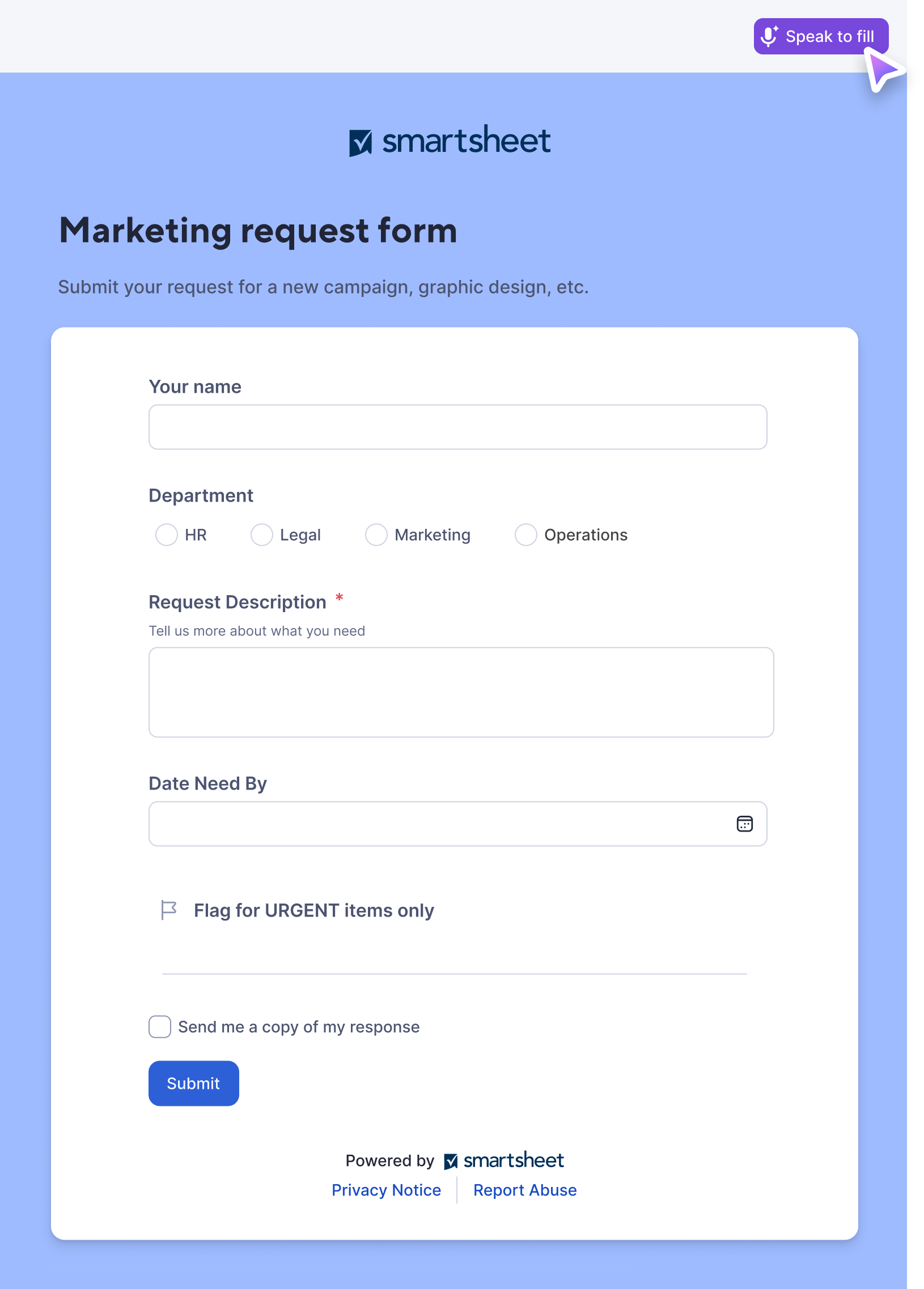
1. The user initiates IFF by clicking the “Speak to fill” button in the header.
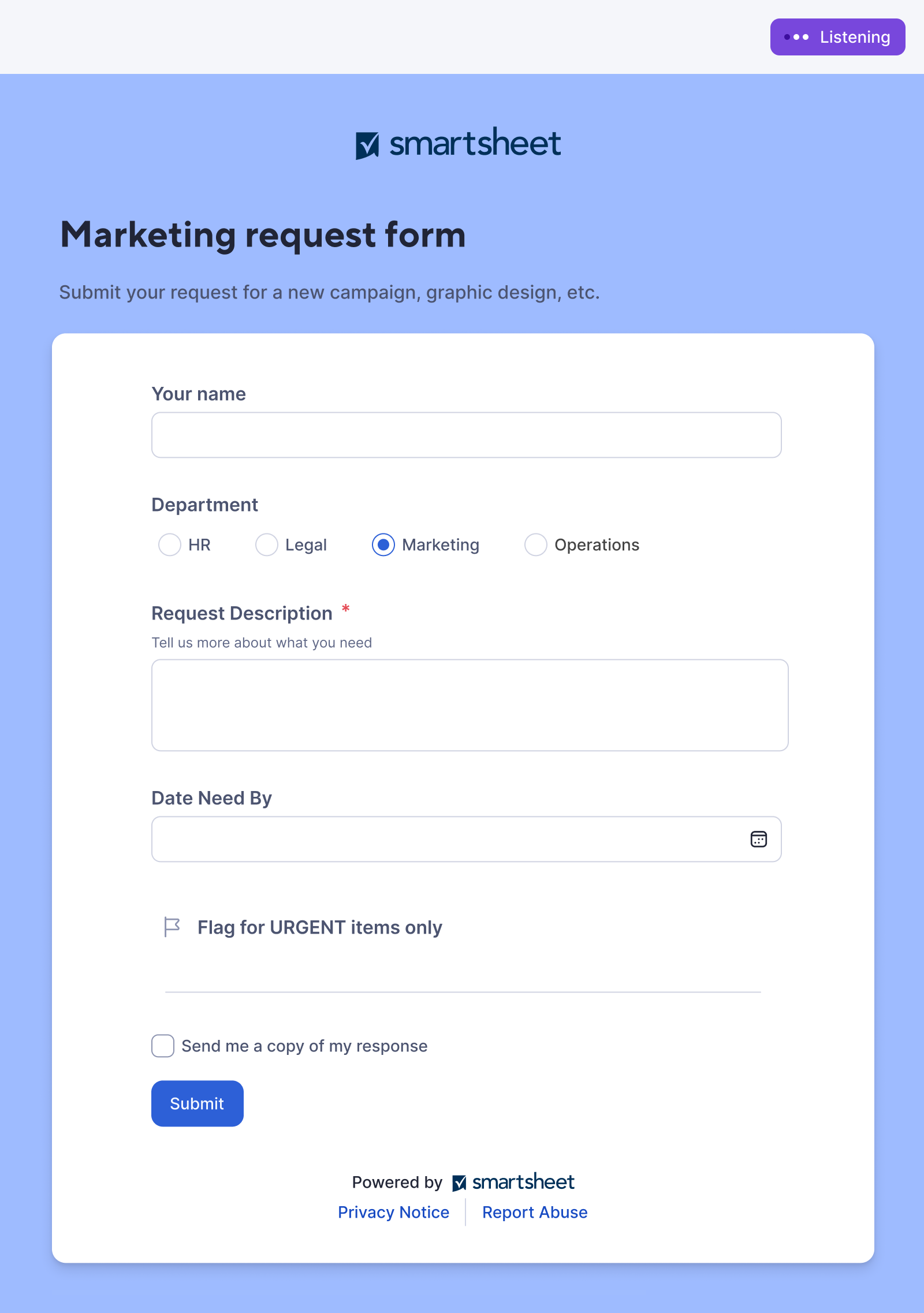
2. IFF then begins listening for the users’ voice to begin capturing details.
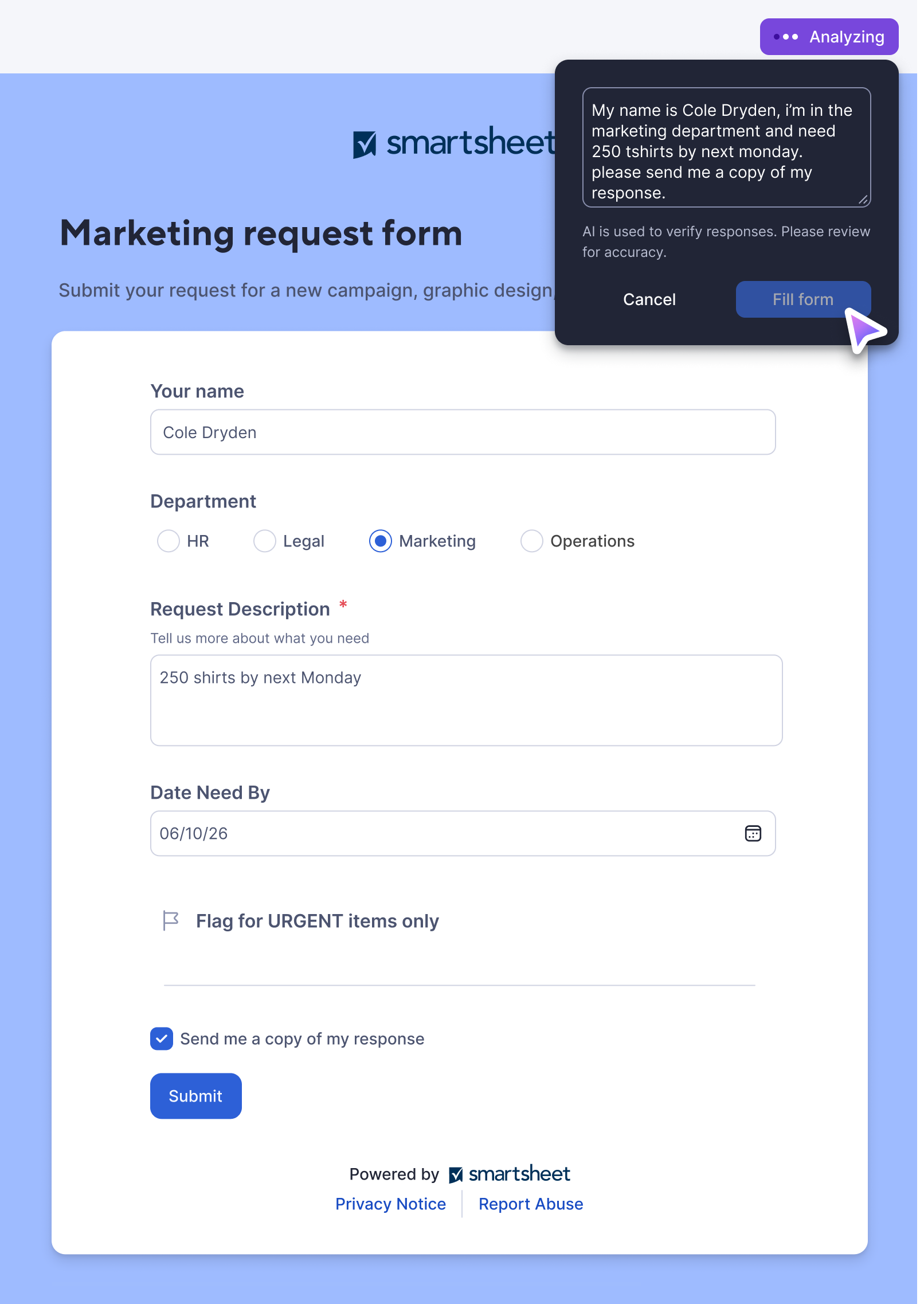
3. From here, the IFF widget begins showing (in text form) the words that have been spoken. This is done to establish trust and reinforce that what is being captured is accurate and true.
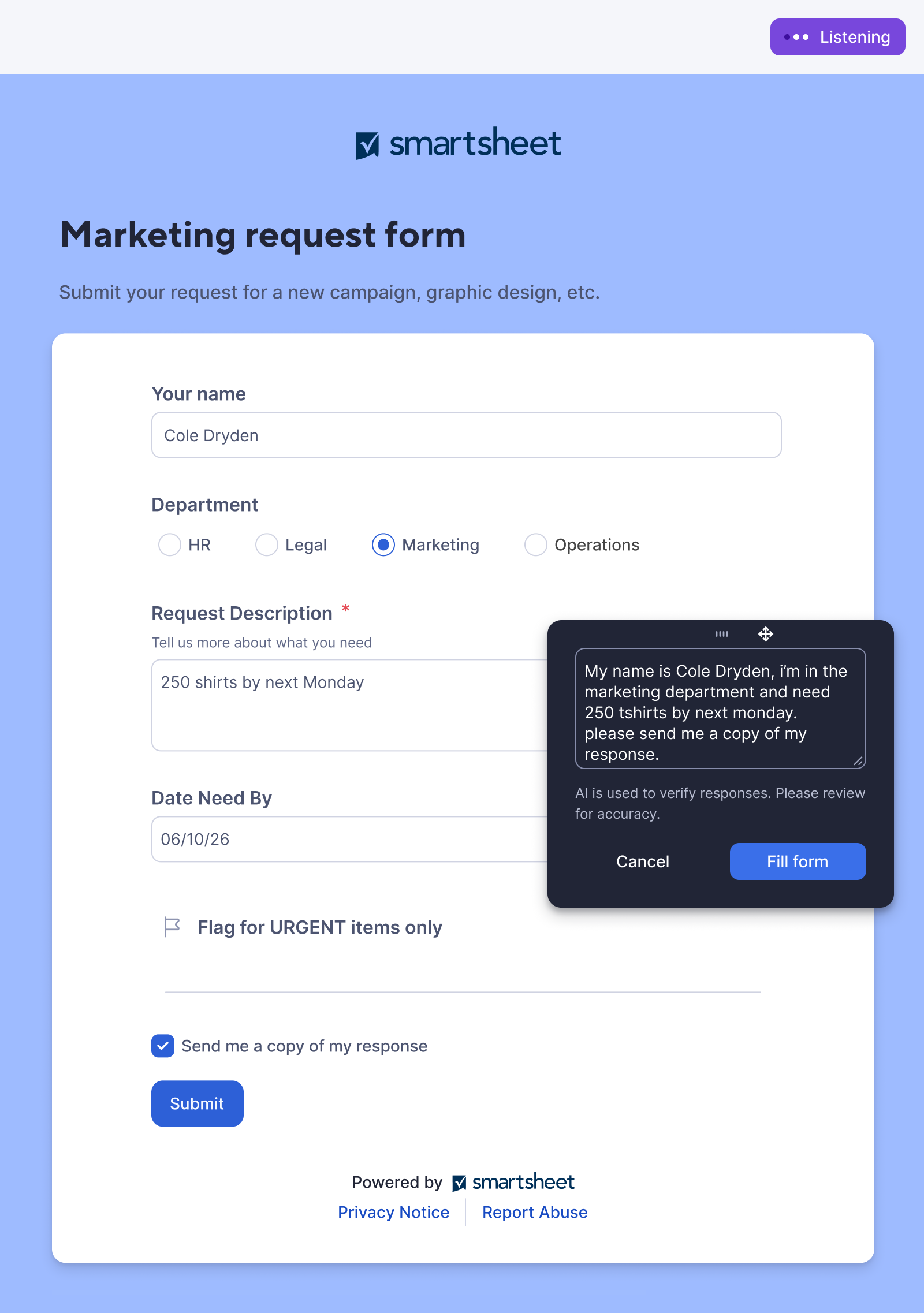
4. If necessary, the user can drag the IFF widget around the page so that form fields can be seen unobstructed.
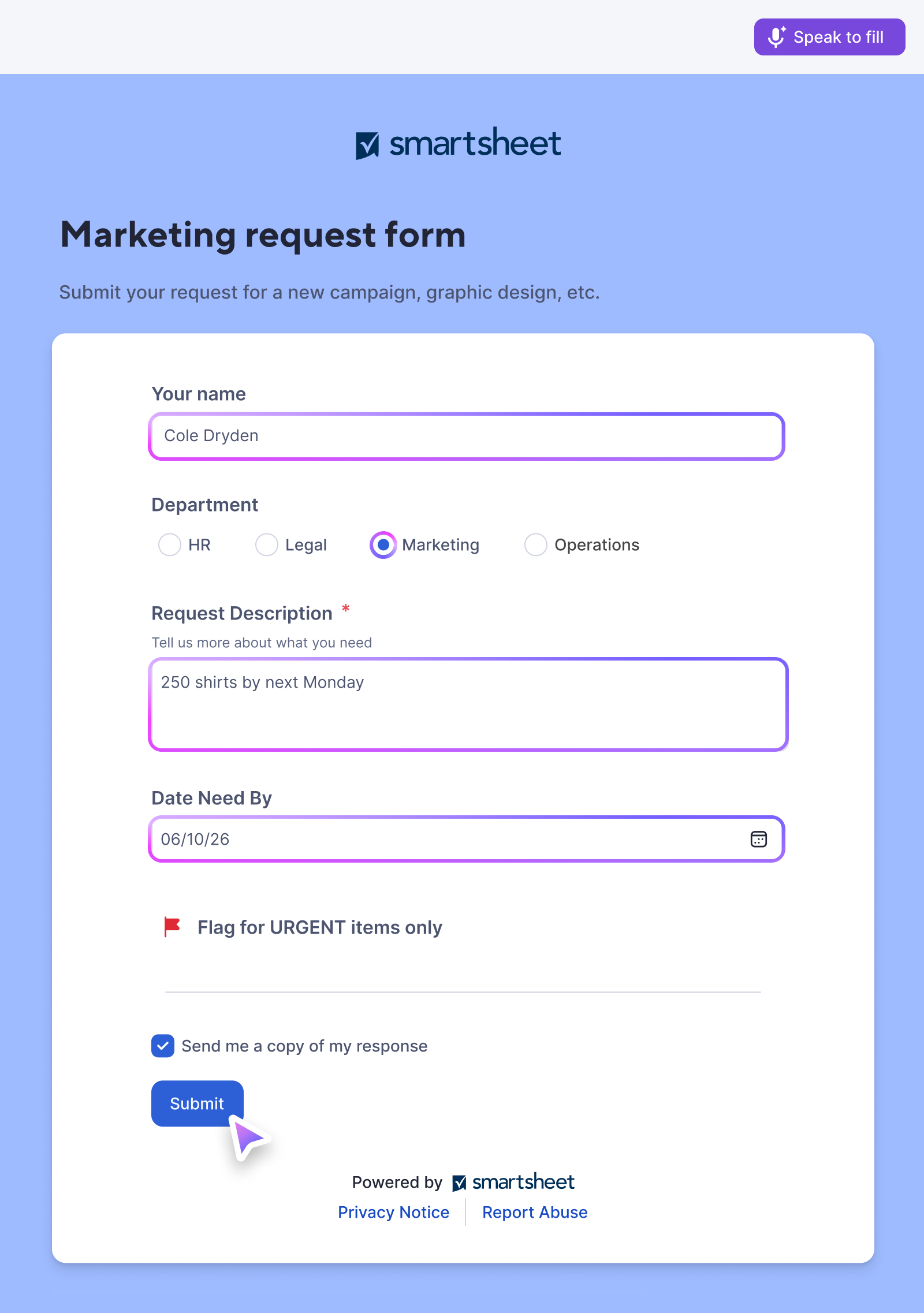
5. After the user clicks “Fill form” on the widget, the affected fields are given a special border treatment to quickly show completed fields. Then the user simply clicks “Submit” on the form itself to finish the task. That’s it!
“Intelligent Form Fill has become the most widely adopted AI feature on the Smartsheet platform by a mile.”
What would I have changed?
In an ideal world, I would have designed Intelligent Form Fill to be completely hands-free. A user could simply say “Start listening,” complete the form naturally, and then say “Fill form” when finished.
Technical constraints at the time made that level of interaction impractical, so the shipped experience required more direct user interaction. Given another iteration, I’d revisit the hands-free approach as voice capabilities and the underlying technology continue to evolve.